


 Mobile
Repairing Tools
Mobile
Repairing Tools
 Touch/Glass/OCA
Glass
Touch/Glass/OCA
Glass Stencils &
IC
Stencils &
IC OCA Machine &
Parts
OCA Machine &
Parts Mobile
Accessories
Mobile
Accessories Software
 OCA
Sheets &
Polarizers
OCA
Sheets &
Polarizers


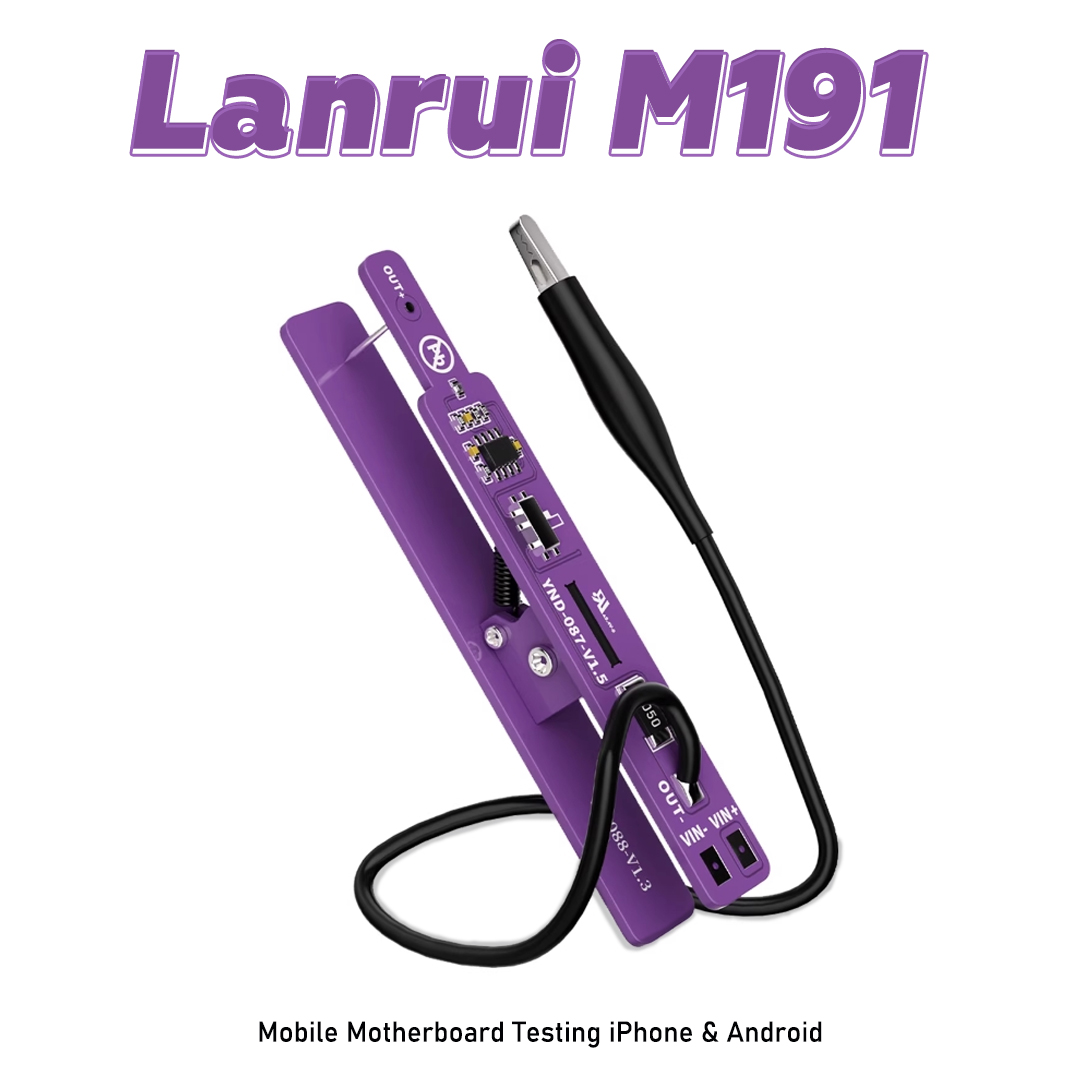
Lanrui M191 Dual Mode Power On Tool Universal Switch Clip for Mobile Motherboard Testing iPhone & Android
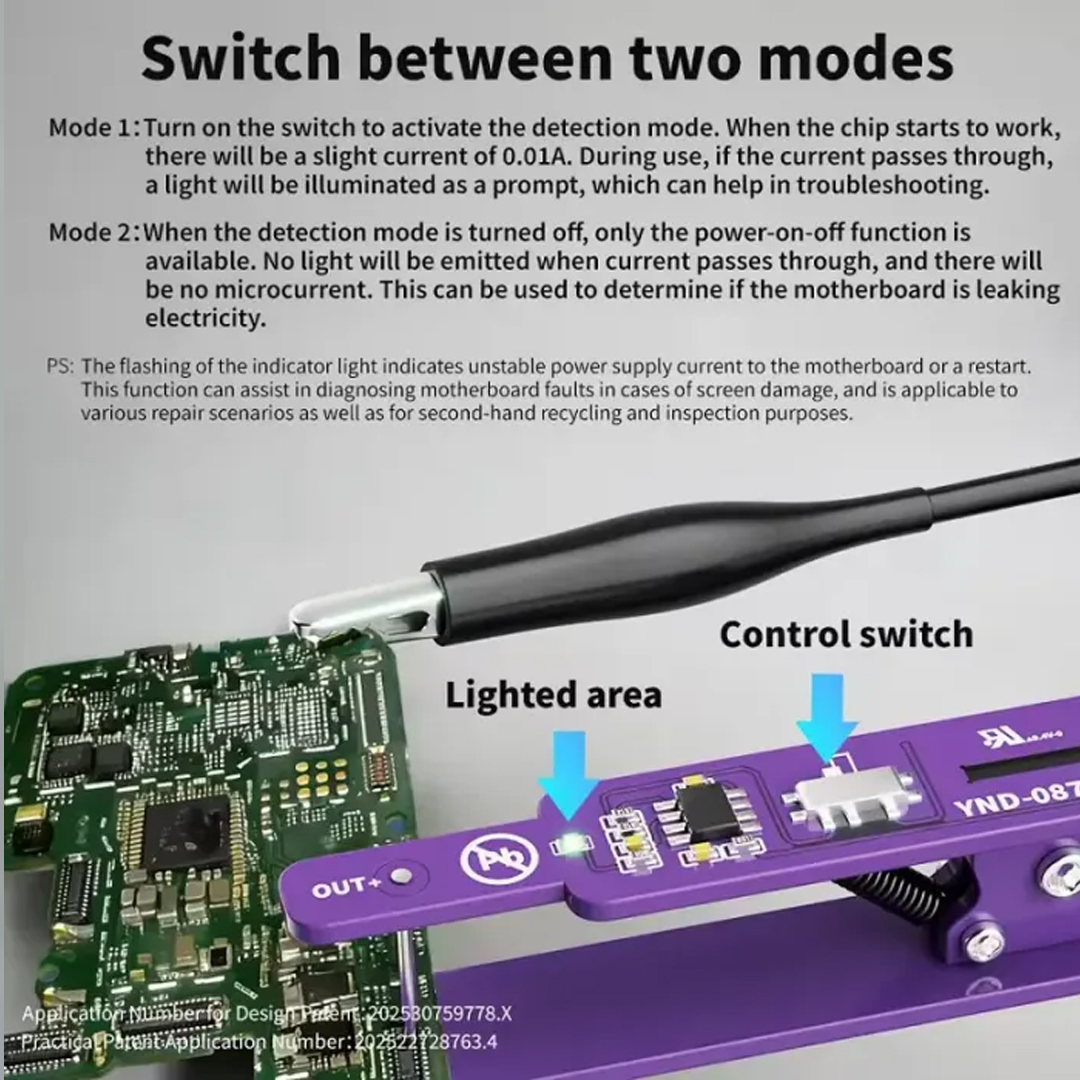
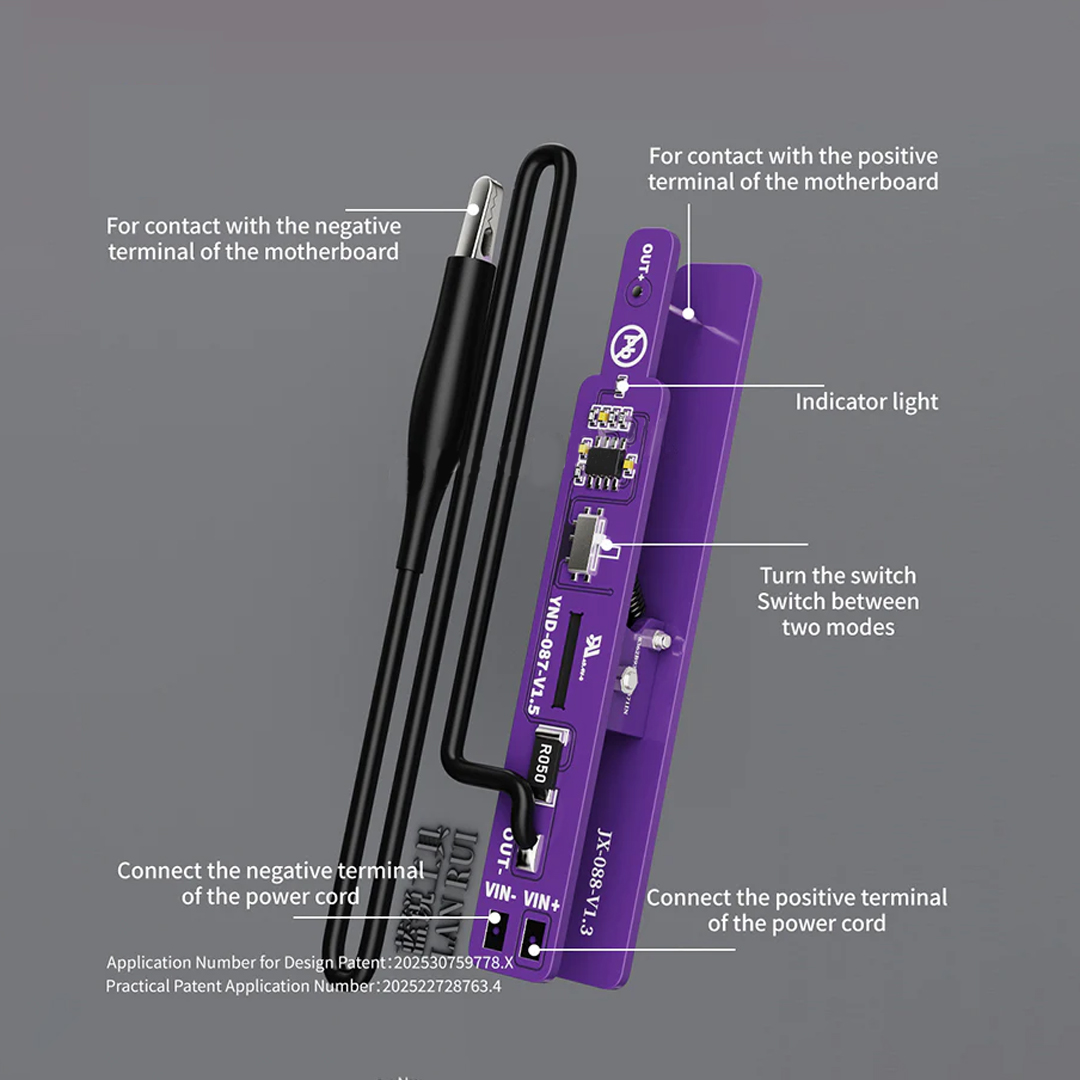
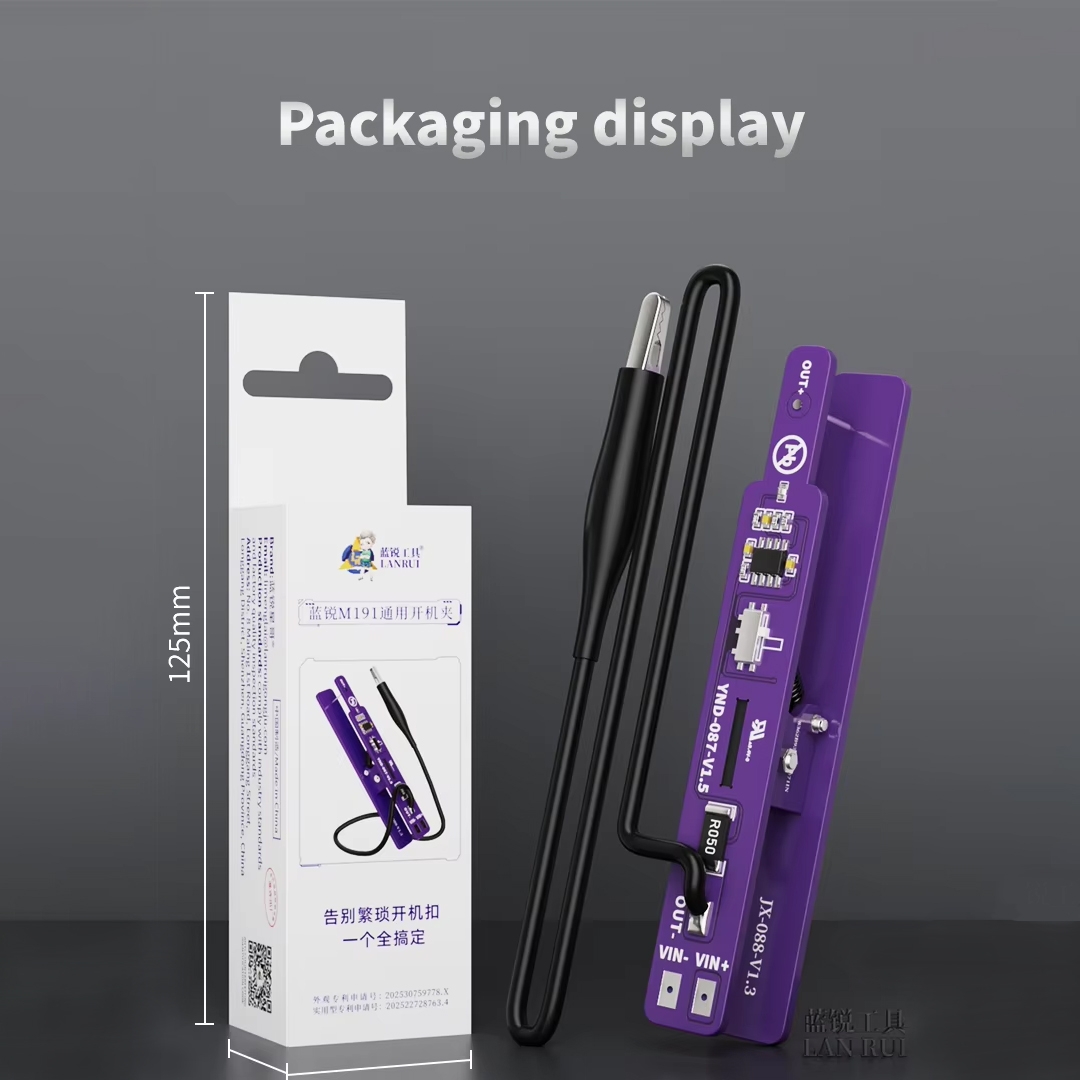
The Lanrui M191 Dual Mode Power On Tool is a high-precision diagnostic accessory designed for mobile repair technicians. It serves as a universal switch clip that allows for the stable powering of mobile motherboards (both iPhone and Android) during testing, bypassing the need for a traditional battery or manual shorting of the power pins.
Below is the full product description organized for clarity and technical reference.
Product Overview
The M191 is engineered to solve the common "rebound" or connection instability issues found in cheaper boot cables. By using a specialized clip mechanism and dual-mode compatibility, it provides a consistent current flow to the logic board, which is essential for diagnosing "no power" issues, current leakage, or software restoration.
Technical Specifications & Features
| Feature Category | Detailed Specification |
| Product Name | Lanrui M191 Dual Mode Power On Tool |
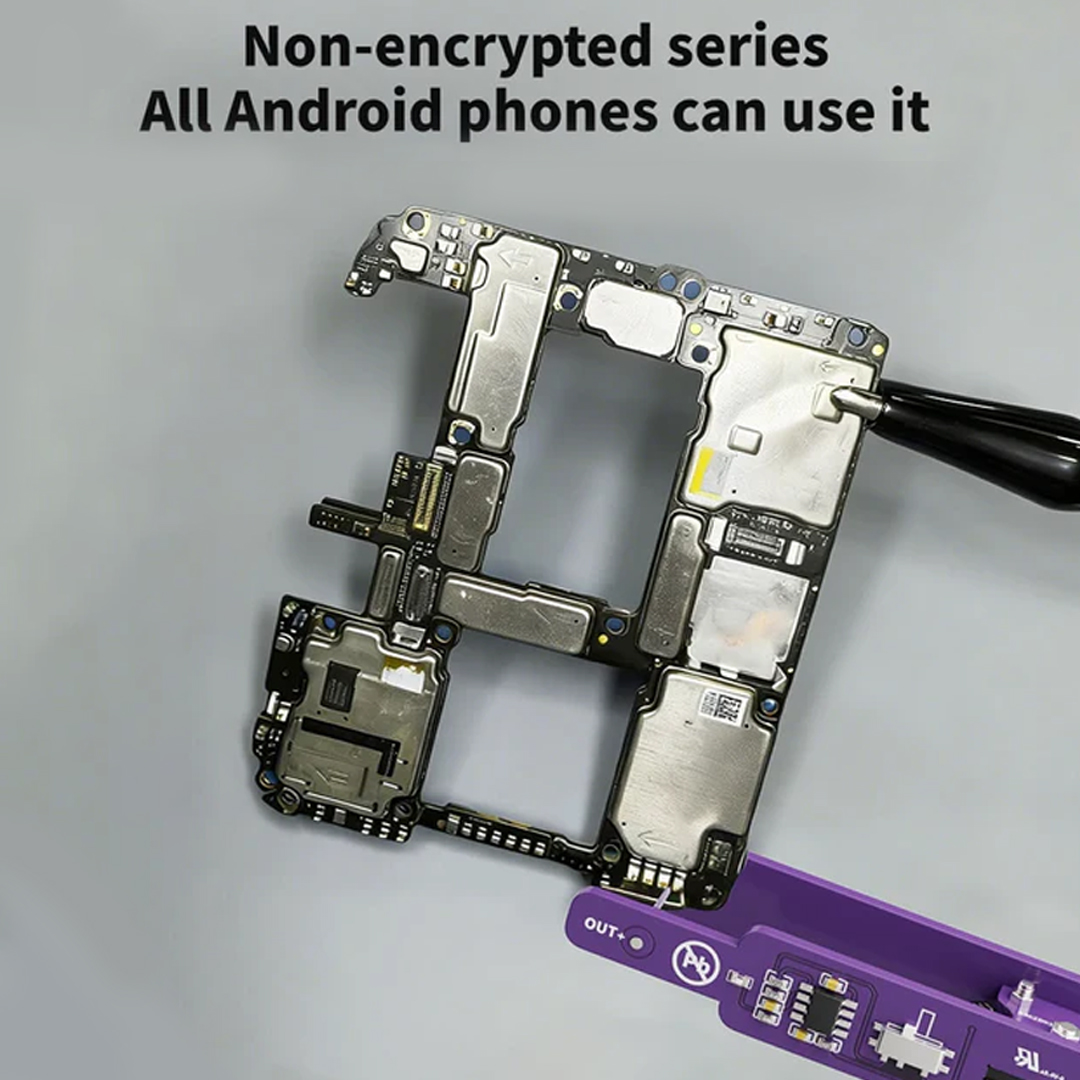
| Device Compatibility | Universal Support: iPhone (Series 6 to 15 Pro Max) & Android (Samsung, Huawei, Xiaomi, Oppo, Vivo, etc.) |
| Operating Modes | Dual Mode: Digital Display Monitoring + Analog Power Stability |
| Input Interface | USB / DC Power Supply connection (typically 4.2V - 5.0V input) |
| Output Type | High-conductivity gold-plated alligator clips / Probe interface |
| Material Build | Heat-resistant ABS casing with anti-static (ESD) coating |
| Cable Length | Approx. 1 meter flexible, high-tensile silicone wiring |
| Safety Features | Overvoltage protection, Overcurrent protection, and Reverse polarity protection |
Key Functional Benefits
-
Stable Booting: Unlike standard tweezers or DIY probes, the M191 simulates the original battery communication protocol (for iPhones), ensuring the device doesn't restart or enter a boot loop during testing.
-
Dual-Mode Versatility:
-
iPhone Mode: Dedicated logic to handle the battery ID and NTC thermal resistors.
-
Android Mode: Adjustable parameters to support the wide variety of power-on sequences found in various chipset architectures (Qualcomm, MediaTek, Exynos).
-
-
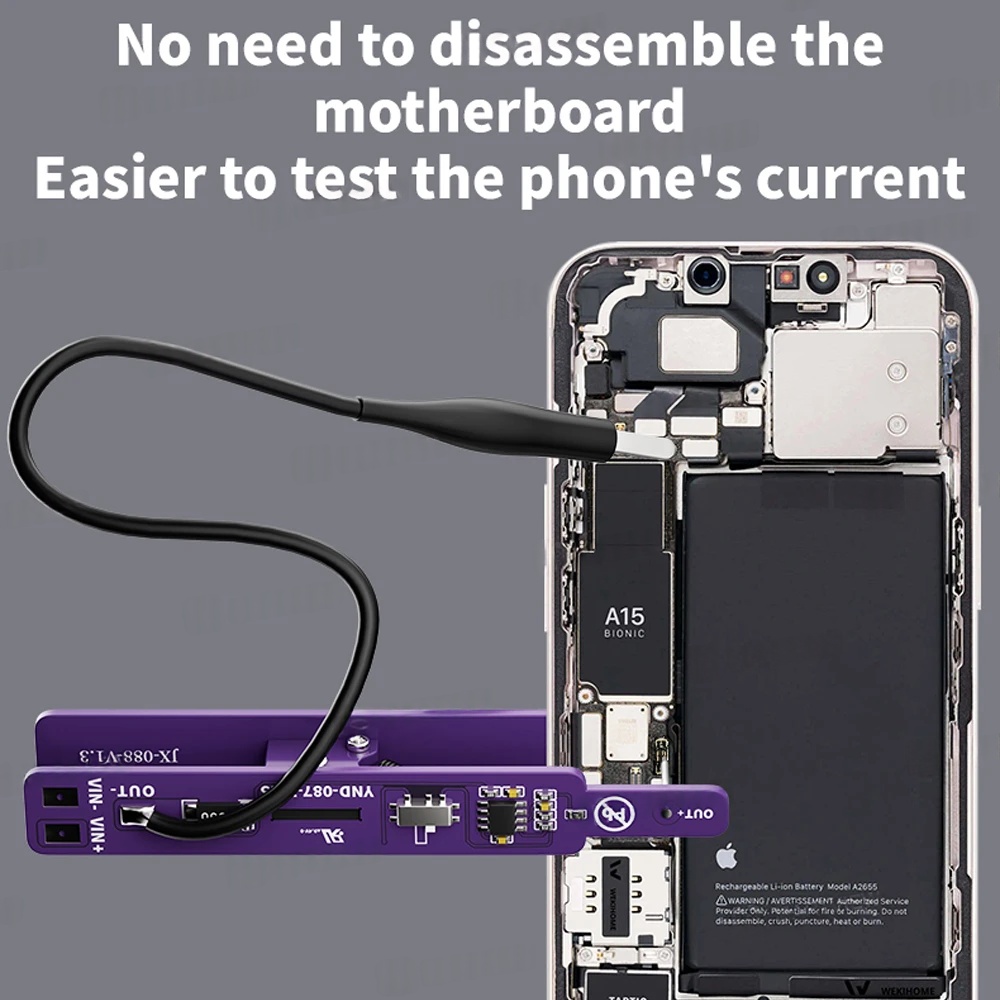
Universal Switch Clip: The clip design is optimized to grip onto tiny battery connectors on the motherboard without causing damage to the delicate FPC (Flexible Printed Circuit) pins.
-
Real-time Monitoring: When paired with a DC Power Supply, it allows technicians to observe the exact current draw (in Milliamperes) to identify if the board has a short circuit before the OS even boots.
Usage Instructions & Safety Tips
Caution: Always ensure your DC Power Supply is set to the correct voltage (usually 4.2V) before connecting the M191 to a motherboard. Applying 12V or higher will likely cause permanent damage to the CPU or Power Management IC (PMIC).
-
Step 1: Connect the M191 input to your regulated DC Power Supply.
-
Step 2: Select the appropriate mode (iOS/Android) if the tool features a toggle.
-
Step 3: Securely attach the clips/probes to the positive ($V_{bat}$) and negative (GND) terminals on the motherboard's battery connector.
-
Step 4: Observe the current meter. A normal board should show $0.000A$ before the power button is pressed. If it shows current immediately, there is a "primary" short circuit.
-
Step 5: Press the power-on trigger to begin the boot sequence
| Weight |
0.090 |
|---|




Customer Reviews
No Review Found